.svg)
June 2026 Software Update
What’s changing
REALConnect 16.0 brings meaningful changes to how your Organization manages and tracks AED devices. This release introduces Inventory Management, a new capability that formally distinguishes between devices in storage and those actively deployed in the field so that your Dashboard Page and notifications only reflect what’s most relevant. The Organization Selection (Home Page) has been refreshed with improved search, sorting and clearer account labeling to make navigating your different Organizations more intuitive.
Who benefits
Organizations that manage AED inventory across multiple locations and stages of deployment will see the most immediate benefit. Administrators and Managers who utilize the AED Summary Reports will also notice meaningful improvements.
New features
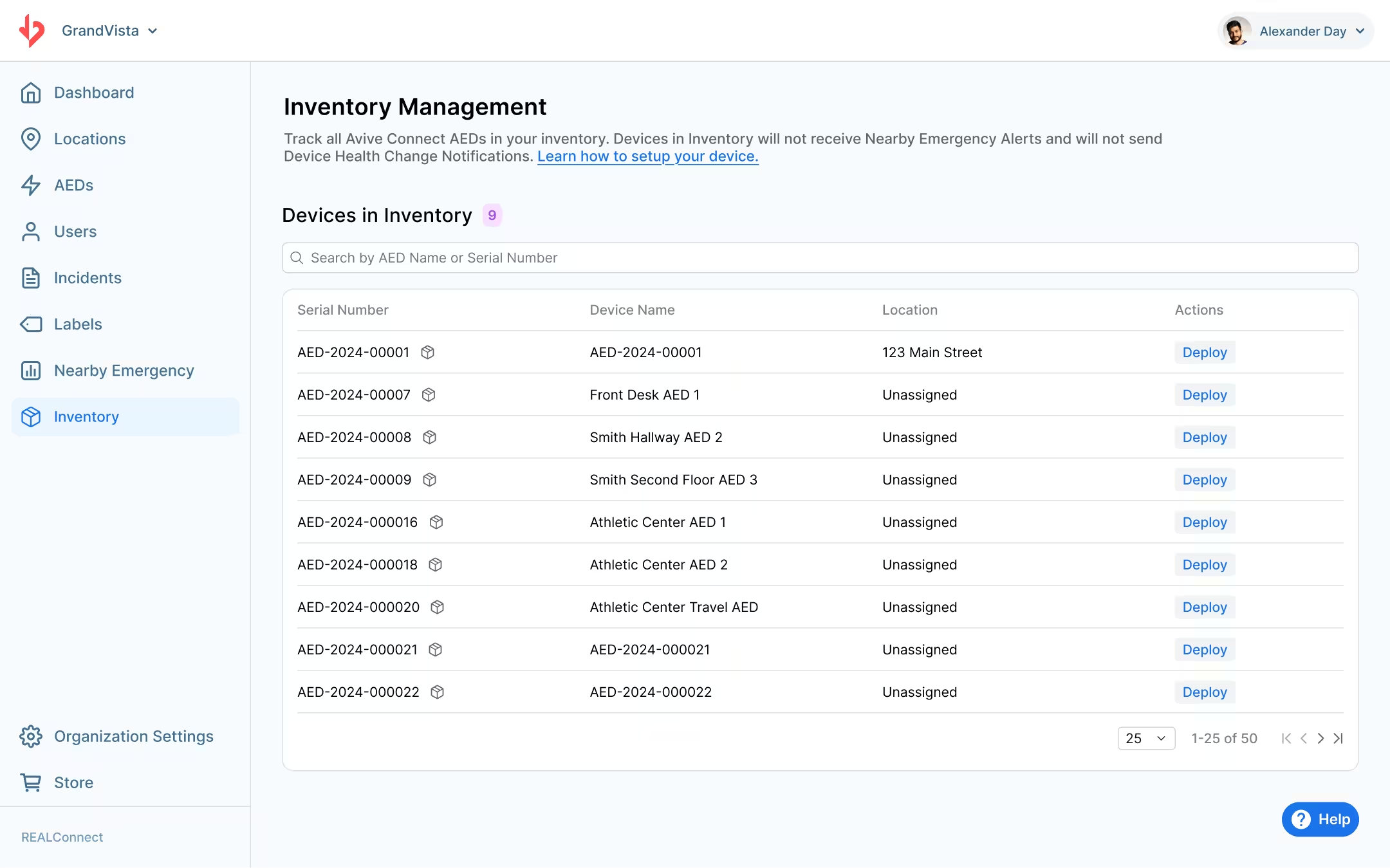
Inventory Management
REALConnect now supports two distinct device deployment states: Inventory and Deployed. Devices in Inventory will not by default appear on the main Dashboard Page and will not trigger notifications (with the exception of Incident Notifications). Users are able to filter their Dashboard between All Devices, only devices in Inventory, and Deployed Devices. This gives organizations a clean separation between devices that are actively in the field and those that are in storage or pending initialization. Devices can be moved between states at any time to reflect your Organization’s needs.
Organization Selection (Home Page) Redesign
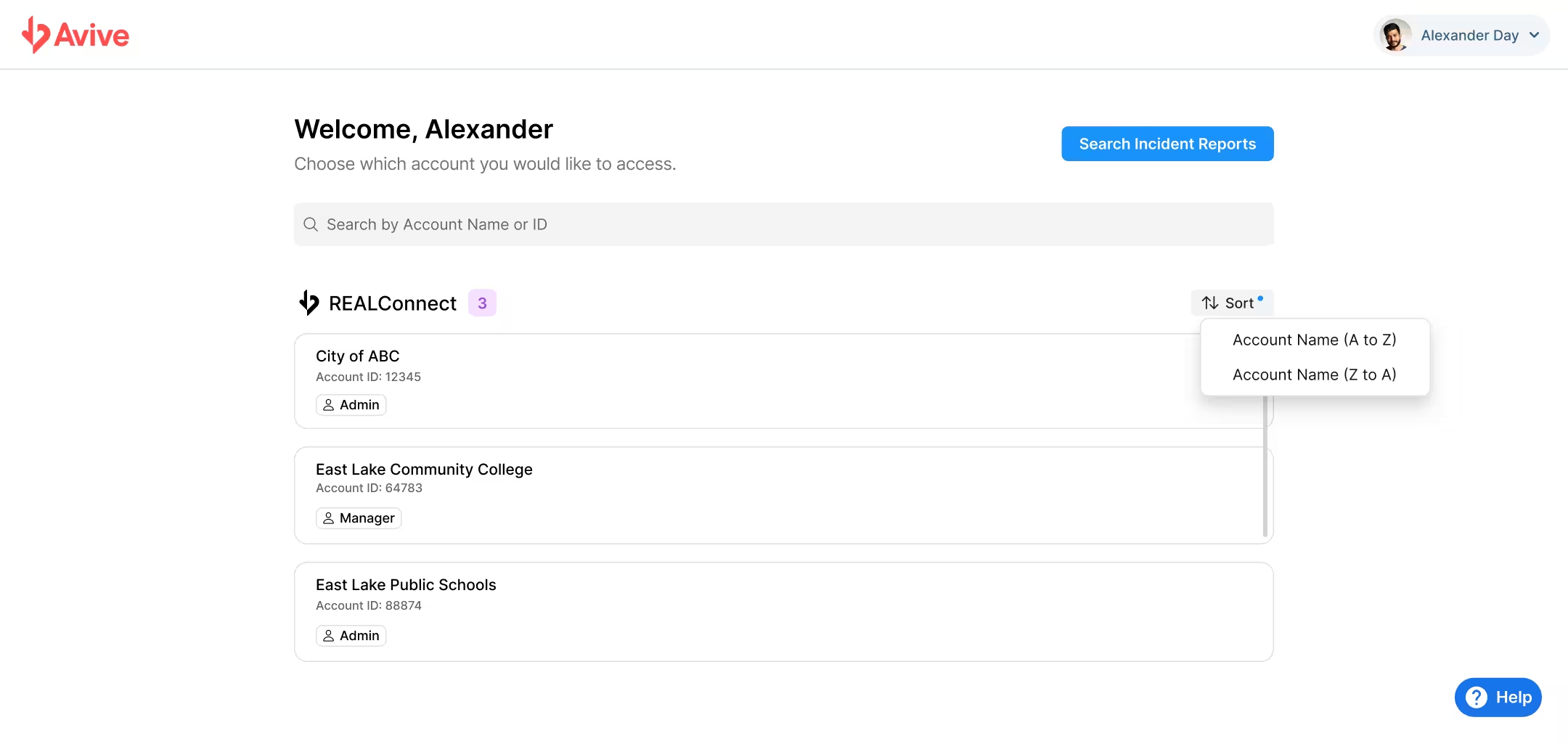
The Home Page has been redesigned for a cleaner, more navigable experience if you are a part of multiple REALConnect Organizations. In addition to a cleaner UI, improvements include enhanced search and sorting, and new account-type badges that clearly display your access level across each Organization you belong to.
Improvements
Expanded AED Summary Report:
The AED Summary Report CSV now includes additional data columns: Location Services, Wi-Fi status, battery percentages, Airplane Mode, QuickRescue™ Status, Power Bank Mode, and Deployment State.
AED Management Table Sorting:
The table on the AEDs tab can now be sorted in ascending or descending order based on AED Name, Last Synced date, Connectivity, etc.
AED Management Table Row Display Options:
The table now loads 25 rows by default (up from 12), with the option to display 25, 50 or 100 rows at a time.
Who’s impacted
All REALConnect users will benefit from the Account Selection page and UI changes across the platform. All Organizations will have access to the new Inventory Management feature and the AED Summary Report. Users who regularly work within the AEDs tab will benefit from the new sorting and row display options.
Why you’d use it
The new Inventory Management feature solves a common pain point: devices that have been received but not yet deployed cluttering your dashboard. By formally separating Inventory from Deployed devices, you get an accurate, real-time picture of what’s active in the field and more control over how you’re organizing your AED program. The expanded AED Summary Report makes auditing your fleet more thorough.