.svg)
December 2025 Software Update
What’s changing
REALConnect 15.0 introduces several new capabilities designed to deliver a more seamless, centralized, and scalable Avive Connect AED® management experience–especially for organizations with large fleets of AEDs. This release adds a Google Single Sign-On (SSO) option, lets Administrators set up Wi-Fi networks and select Power Modes remotely, and brings multiple UI improvements to make monitoring AED health more intuitive.
Who benefits
Organizations with large fleets of Avive Connect AEDs can now benefit from Fleet Wi-Fi and Power Mode settings. Instead of manually entering Wi-Fi network settings on the screen of each device, Administrators can now push network information to all devices in their fleet remotely to save time and help devices connect to Wi-Fi more easily. All users will also benefit from smoother login options and an upgraded REALConnect dashboard UI.
New features
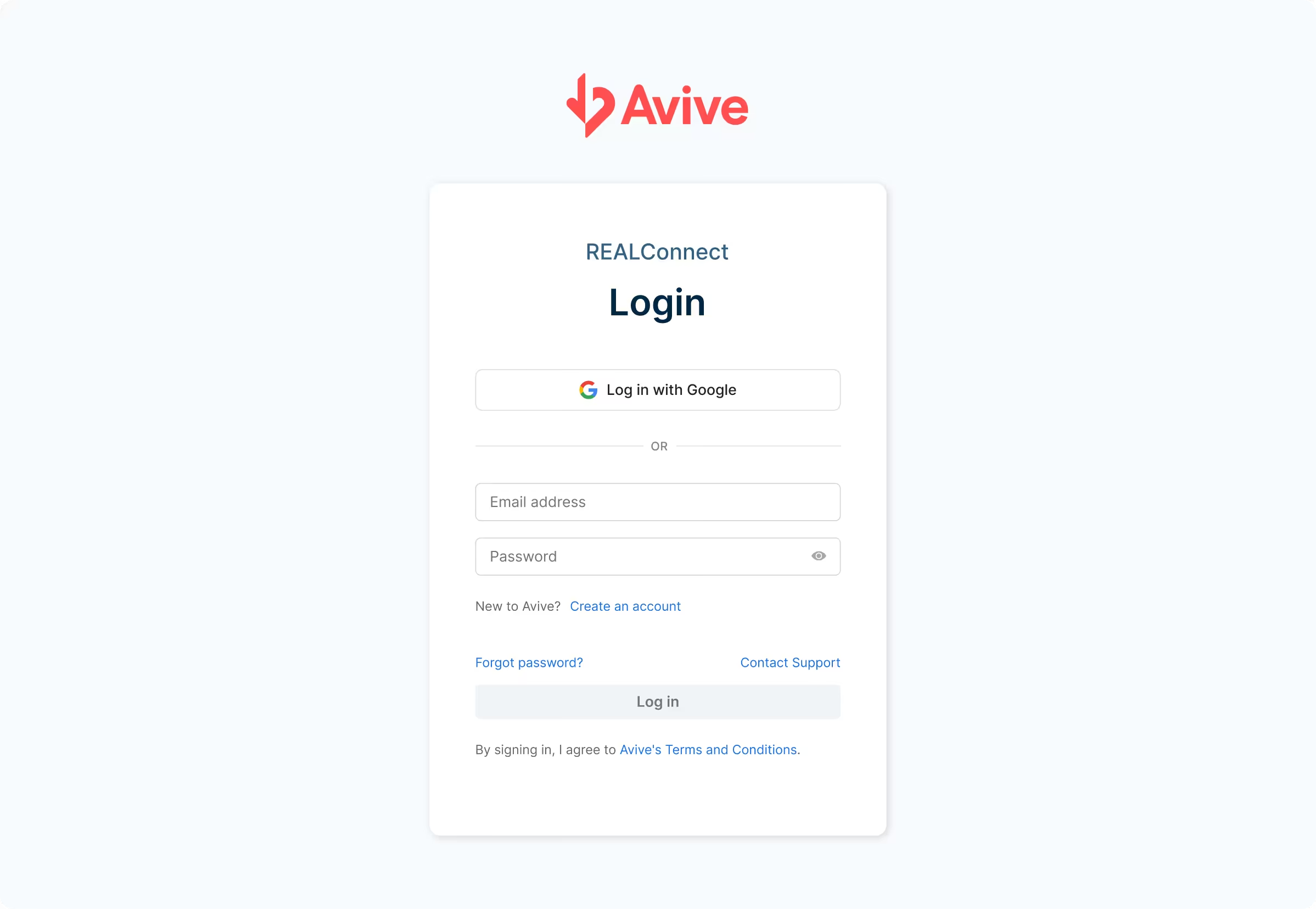
Google Single Sign-On (SSO):
REALConnect now supports logging in with Google credentials. Google SSO streamlines the sign-in experience, reduces password management, and helps users access their AED fleet data more easily by giving them the option to sign in with their Google account.
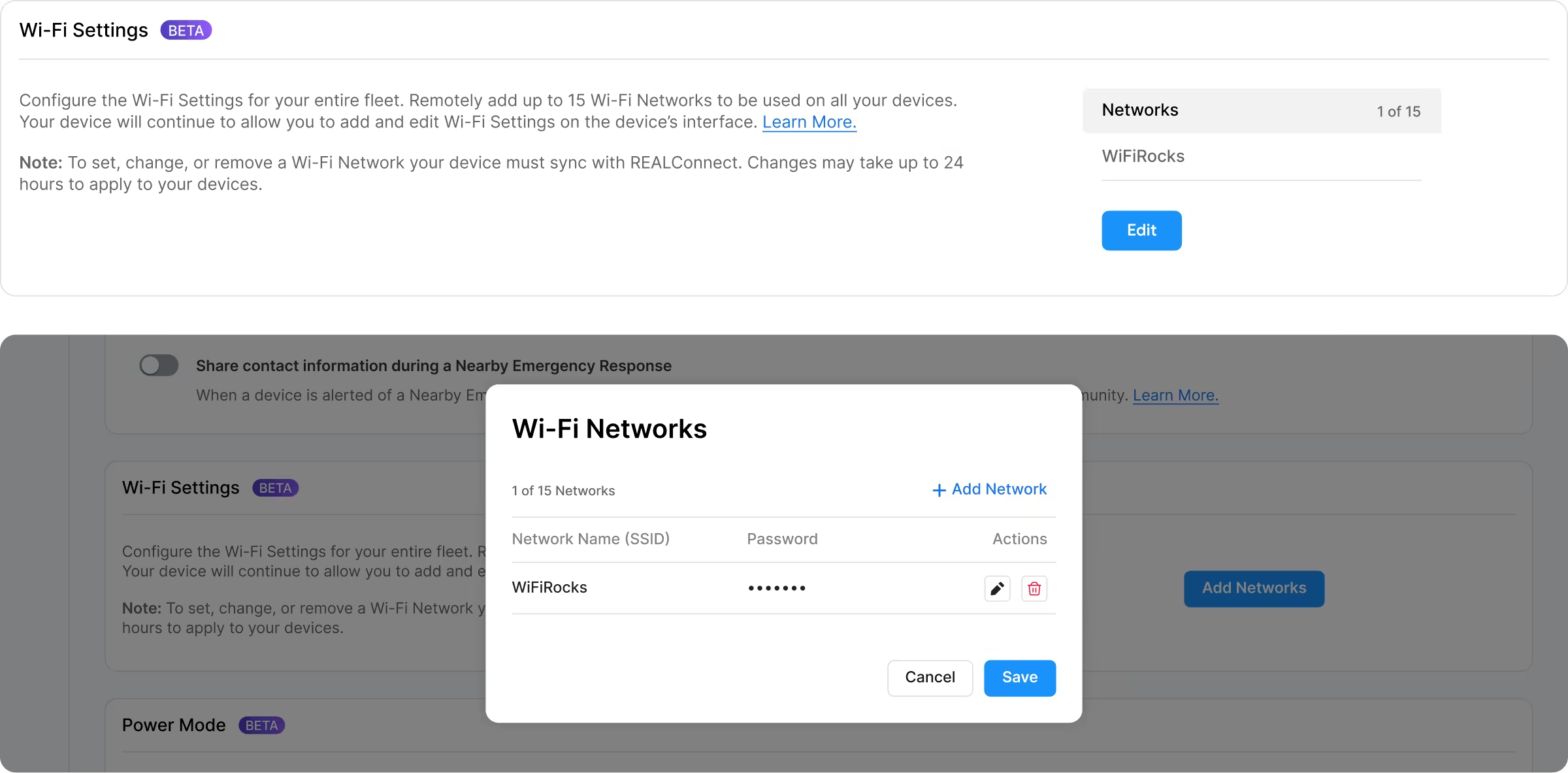
Set up Wi-Fi networks remotely:
Users with Administrator permissions in REALConnect can now push Wi-Fi settings to all devices in their organization directly from REALConnect. This fleet-wide setting eliminates the need to enter network information manually on each device screen. Devices will automatically join the strongest available preferred network and store the credentials (network name and password) for ongoing connectivity. Ensure that your devices are operating on Connectivity Software 2.5 or above to receive the Wi-Fi settings remotely.
Set a Power Mode for your devices remotely:
Similar to the Fleet Wi-Fi settings, users with Administrator permissions in REALConnect can now select and apply a Power Mode (Low, High, or Power Bank Mode) across their entire fleet of AEDs from REALConnect. This remote configuration replaces the need to adjust Power Modes manually and helps ensure that devices remain optimized for each organization’s power management preferences. Ensure that your devices are operating on Connectivity Software 2.5 or above to receive the Wi-Fi settings remotely.
Improvements
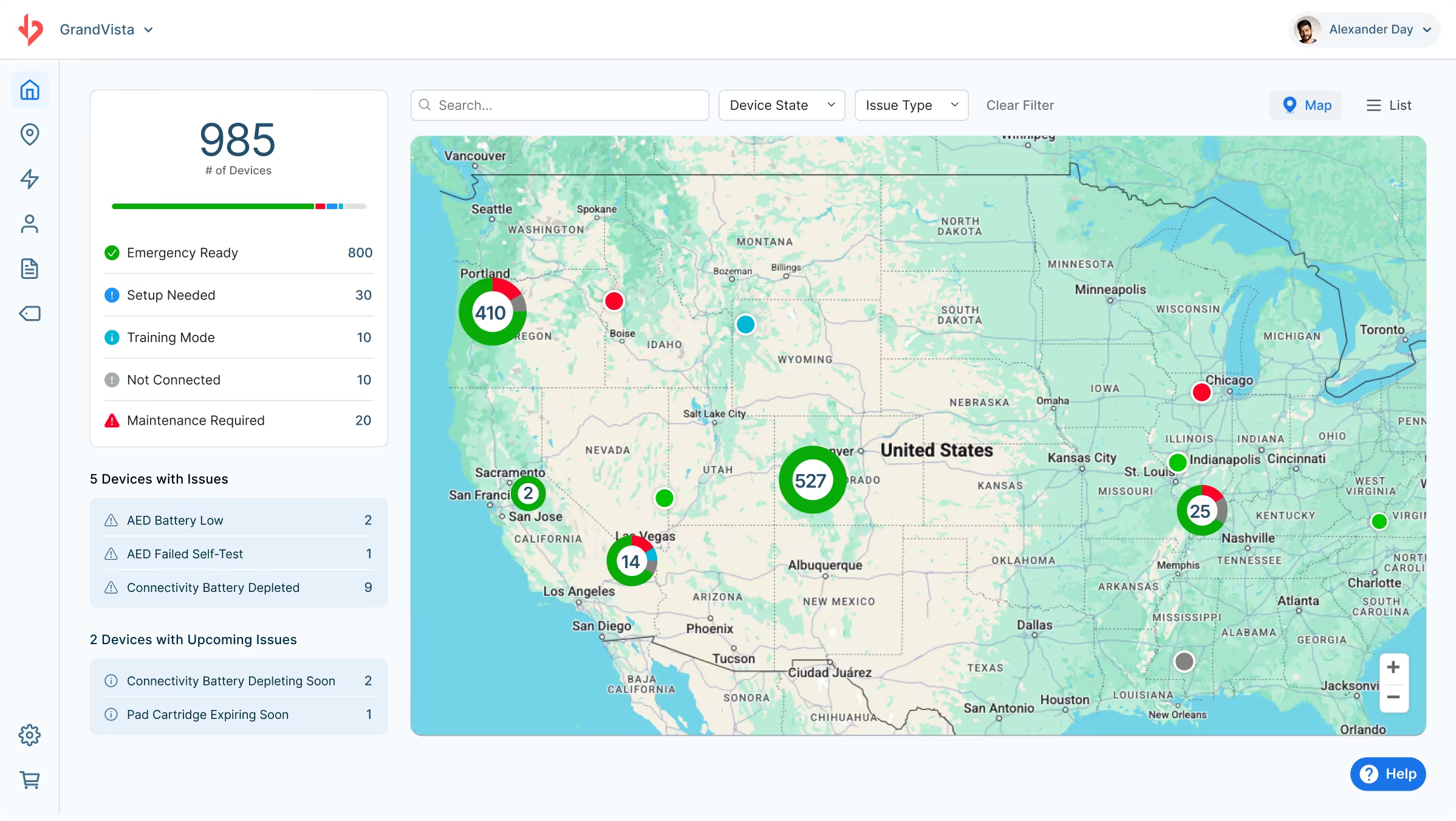
New UI for Dashboard Map View:
Clusters of devices on the Dashboard Map View now display as color-coded pie charts showing the breakdown of device health states within each cluster. This improvement gives users clearer at-a-glance visibility into the status of their AEDs across multiple locations within the same area.
Who’s impacted
These updates are available to all REALConnect users, and will be especially valuable for organizations managing large numbers of Avive Connect AEDs across multiple locations. Administrators will have new fleet-wide controls, and all users will see improved clarity in device status displays and streamlined login options with Google SSO.
Why you’d use it
REALConnect 15.0 is built for teams that want to centralize AED management and eliminate manual, device-by-device tasks such as configuring Wi-Fi settings and making fleet-wide changes to Power Modes. With the ability to add Wi-Fi networks and adjust Power Modes remotely, organizations with large fleets can drastically reduce setup time, ensure consistent configurations, and improve AED connectivity across locations. Combined with platform-wide UI improvements and easier sign-in options with Google SSO, this update helps every user monitor and manage their AEDs more efficiently.
Explore Help Center resources:
How do I adjust the Power Mode Settings for my devices remotely in REALConnect™?
How do I add Wi-Fi networks remotely in REALConnect™?